
When your Lenovo laptop running Windows 10 suddenly loses WiFi connectivity, it can disrupt your work, online meetings, streaming, and downloads. In many cases, the issue isn't caused by your router but by corrupted, outdated, or missing Lenovo WiFi drivers. This guide explains all effective methods to fix Lenovo Windows 10 WiFi driver problems and get your wireless connection working again.
Method 1: Automatically Update Lenovo WiFi Drivers
If you want the quickest and easiest way to fix WiFi driver issues on your Lenovo Windows 10 laptop, using Driver Talent X provides a fully automated solution. Instead of manually looking for the correct wireless driver, the tool scans your system, identifies the exact WiFi adapter, and installs the proper Windows 10 driver version for you.
Download and Install Driver Talent X
Click the Download button to get the Driver Talent X installer
After the download finishes, run the setup file and follow the instructions to complete the installation process
Run a Full Driver Scan
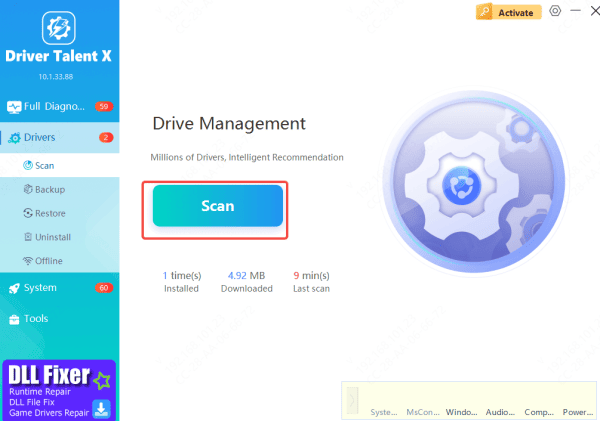
Open Driver Talent X and go to the Drivers tab
Click Scan, and the tool will automatically detect outdated, corrupted, or missing drivers—including your Lenovo WiFi driver
Update Your Lenovo WiFi Driver
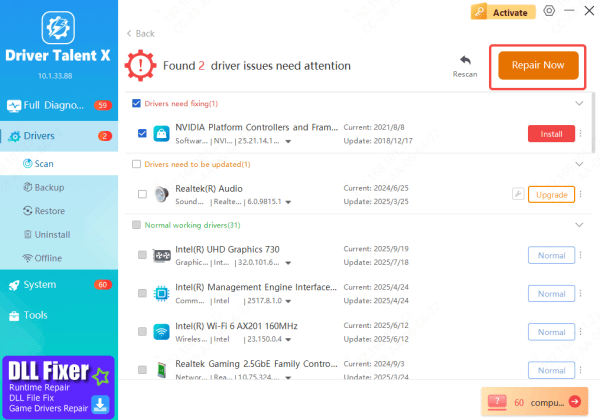
Once the scan is done, Driver Talent X will list all detected driver problems
Locate the Wireless Network Adapter, then click Upgrade or Repair Now to automatically download and install the correct Windows 10 WiFi driver for your Lenovo device
Restart Your PC
After the update completes, restart your computer
This helps ensure the new WiFi driver is fully applied and restores stable wireless connectivity
Method 2: Download Drivers from Lenovo Vantage
Lenovo Vantage is Lenovo's official system management utility that helps keep your device updated. It can automatically detect, download, and install the correct WiFi and network drivers for your Windows 10 laptop.
Open Lenovo Vantage
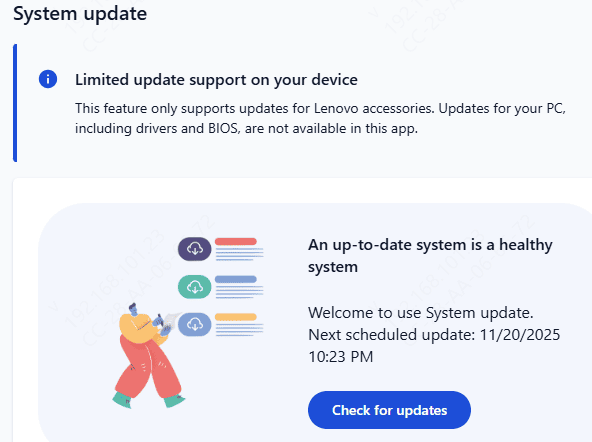
Once inside Lenovo Vantage, open the System Update section
Click Check for Updates to let the tool scan your system
When the scan finishes, Lenovo Vantage will list all available updates—such as wireless network drivers, system updates, and firmware
Select any WiFi or Network Driver updates and click Install
Using Lenovo Vantage ensures you receive Lenovo-certified and fully compatible WiFi drivers, helping to maintain stable and reliable wireless performance on Windows 10.
Method 3: Download Drivers from Lenovo Support
This is also a Lenovo's official method for getting the correct WiFi driver.
Visit the official Lenovo Support website
Enter your Lenovo laptop model in the search box
Choose Drivers & Software
Select your OS: Windows 10
Go to Networking: Wireless LAN / WLAN
Download the newest WiFi driver and install it
Lenovo provides manufacturer-approved driver packages designed specifically for your device, ensuring maximum compatibility and performance.
.png "download-wifi-drivers")
Method 4: Reinstall the Lenovo WiFi Driver
If updating doesn't work, reinstalling the driver often resolves deeper corruption.
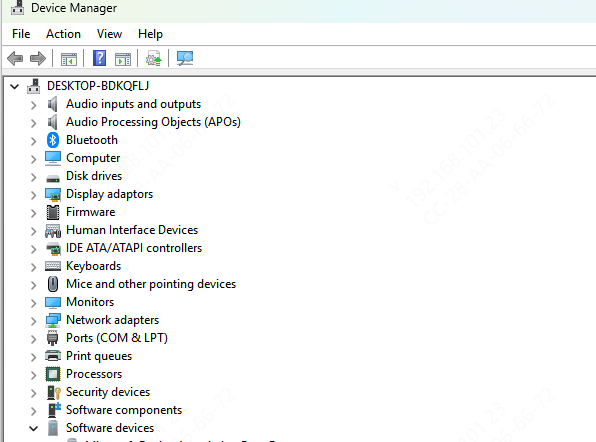
Open Device Manager
Expand Network adapters
Right-click your WiFi adapter → Uninstall device
Check Delete the driver software for this device
Restart your laptop
Windows will reinstall the driver automatically
For best stability, reinstall the OEM driver from Lenovo's website afterward.
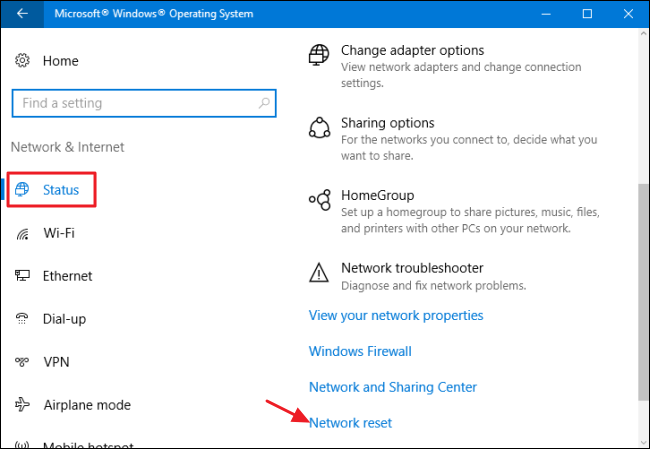
Method 5: Reset Windows 10 Network Settings
A full network reset often fixes hidden configuration errors.
Go to Settings → Network & Internet
Scroll down → click Network reset
Restart your laptop
This removes old configurations and reinstalls network adapters.
Conclusion
Fixing WiFi issues on a Lenovo Windows 10 laptop usually comes down to correcting problems with the wireless driver—whether it's outdated, corrupted, or missing. By following the methods in this guide, including using automated driver repair tools like Driver Talent X, installing official drivers from Lenovo Support, updating through Lenovo Vantage, reinstalling the WiFi driver, or performing a network reset, you can restore stable wireless connectivity quickly and reliably.









