
Lenovo Service Bridge (LSB) is a lightweight Windows utility designed to enhance your Lenovo support experience. Every time you visit a Lenovo support website, you no longer need to manually search for device information; the tool automatically detects your product details and loads the correct resources instantly. This guide introduces the features, download methods, and how to resolve common issues with Lenovo Service Bridge.
Key Features of Lenovo Service Bridge
Lenovo Service Bridge includes several support-centric features designed to simplify troubleshooting:
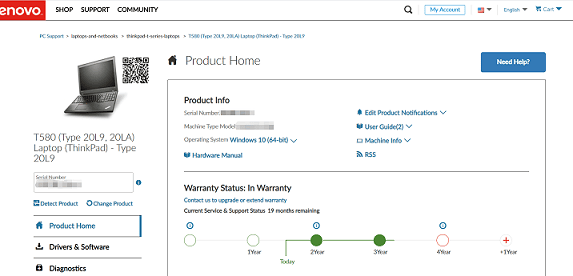
Automatic Device Identification: LSB detects your serial number and machine type/model and then passes this information to the Lenovo support website for accurate guidance
Instant Product Page Loading: When you visit a Lenovo support page, your device information is automatically displayed without needing to search for the product
Personalized Support: The support website displays device-specific drivers, manuals, solutions, and troubleshooting resources
Warranty Check: Lenovo can instantly display your warranty status and expiration date using your serial number
Faster Support Service: If you contact a Lenovo service center, this tool provides all the necessary device information to help support personnel diagnose problems faster
Download Lenovo Service Bridge
Please follow these steps to securely download the LSB
Visit the official Lenovo support website
Locate the Lenovo Service Bridge download section
Click "Download" and save the installer to your computer
Ensure your system meets the following requirements
Windows operating system
Stable internet connection
Important Note: Please only download LSBs from the official Lenovo website to avoid downloading unsafe or modified versions.
Troubleshooting Lenovo Service Bridge Issues
If Lenovo Service Bridge is not working properly, try the following solutions:
LSB cannot detect your device: Restart your computer and visit the Lenovo support page again
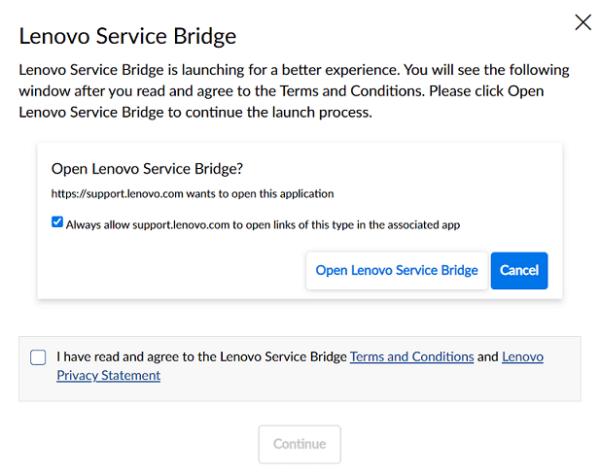
Ensure your browser allows the Lenovo Service Bridge plugin to run. Check if LSB is running in Windows services
Browser cannot run Lenovo Service Bridge: If prompted, reinstall the browser plugin. Clear your browser cache and restart
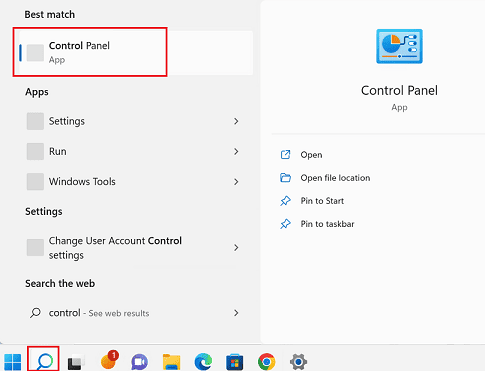
Lenovo Service Bridge service is not running: Press Win + R, type services.msc. Locate Lenovo Service Bridge. Set its status to "Running" and its startup type to "Automatic"
Reinstall the tool: If the above methods are ineffective, uninstall Lenovo Service Bridge and install the latest version from the Lenovo website.
Recommended: Keep Your Lenovo Drivers Updated for Best Performance
For Lenovo Service Bridge to correctly detect your device and provide accurate support information, your system must run stable and up-to-date hardware drivers. If critical drivers—such as chipset, USB, power management, network, or system components—are outdated or corrupted, Lenovo Service Bridge may fail to identify your device or load the correct support resources. Using a reliable driver update utility like Driver Talent X can help ensure your Lenovo system stays fully optimized.
Download Driver Talent X
Click the Download button to get the installation package. Once the file is saved, open it and follow the on-screen instructions to complete the installation.
Run a Full System Scan
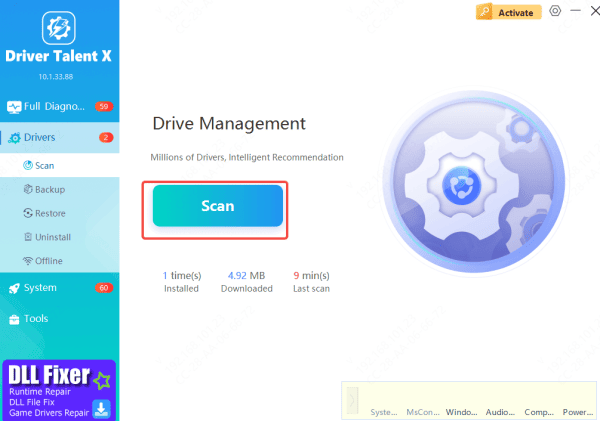
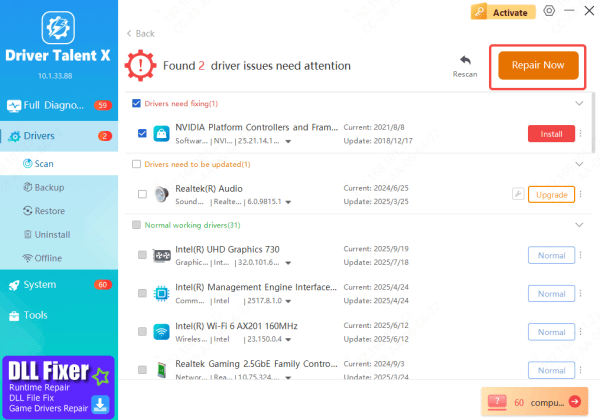
Launch Driver Talent X, go to the Drivers section, and select Scan. The tool will automatically check for outdated, missing, or malfunctioning drivers that may affect system stability.
Update Lenovo Drivers Automatically
Choose Update or Repair, and Driver Talent X will download and install the latest driver versions for all detected issues. This ensures your device components remain compatible with Lenovo support tools.
Restart Your PC
After the updates finish, reboot your computer. Restarting allows Windows to properly load the new drivers and ensures system works smoothly and accurately.
Conclusion
Lenovo Service Bridge greatly simplifies device support by automatically detecting your Lenovo computer and displaying the correct drivers, resources, and warranty details without manual searching. Keeping the tool and your system drivers updated ensures it runs smoothly, and most issues can be fixed by restarting the service, reinstalling the tool, or updating essential drivers, allowing you to maintain a fast and reliable Lenovo support experience.









